 height="65" />
Tips to minimise data loss
Data Recovery
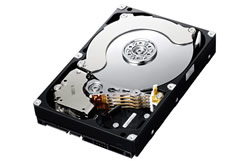 Here are a few tips that you must follow if you want to avoid any further damage to your hard drive(s) before you call in Ontrack Data Recovery.
Perhaps the most important tip is to never assume that data is irrecoverable. Professional data recovery services like Ontrack offer the expertise and tools required to recover data quickly and successfully.
Physical Damage
Physical damage can manifest itself in many forms including clicking, grinding, spinning or other strange noises. If you suspect physical damage, these tips can help reduce further data loss:
1. Turn off computer immediately. Further operation may damage data beyond repair.
2. Do not shake, disassemble or attempt to clean any hard drive or server that has been damaged. Improper handling can jeopardise the data recovery process.
3. Never attempt to operate any visibly damaged devices.
4. Do not try to reinstall any software of any type.
5. Attempting to recover data on your own can render your data completely unrecoverable.
6. Do not use free to download recovery software since it may destroy what was otherwise recoverable data.
7. Do not place a fire-damaged drive in refrigerator to cool media and do not try to remove the hard drive - ship the entire computer for data recovery to Ontrack Data Recovery.
8. Never attempt to dry water damaged media by exposing it to heat. Instead, place the media in a container that will keep it damp before shipping to Ontrack Data Recovery.
Physical damage, no matter what the cause, requires clean room attention and Ontrack's clean-room capabilities are the best in the industry.
Non Physical Damage
Hard drive failure is often caused by the physical condition of the drive itself (it may just need replacing. Other culprits include a boot sector virus, a fatal disk crash, poor safety routines, errors when upgrading or installing software, lack of maintenance or simply as a result of some accident that has caused the disk damage.
You may see messages such as “No OS found”, “Corrupt Volume” or may simply be missing files and folders even though you haven't deleted them.
Shut the computer down immediately. The longer a damaged hard drive is left running, the greater the risk that all your data may be irretrievably lost.
Do not run “CHKDSK” (under Windows), “VRepair” ( for the Novell NetWare 5.0 Server Software) or any diagnostic software or antivirus software. These could further damage your drive.
If the contents of your damaged hard drive are valuable to you and you do not have backups that work, Ontrack Data Recovery can usually recover the data using their cutting edge technology.
Return to the main Data Recovery page.
Read more articles about PC repairs, Web design & SEO